Welcome Home to Work
Make every remote hire feel like they belong to a company they’ve never physically walked into. Curated, branded, and delivered pan-India.


Trusted by550+ Brands








What is a WFH kit for employees?
It's 8:55 on a Monday morning. Your new hire, a backend engineer you fought hard to recruit, is sitting at her kitchen table in Whitefield, laptop balanced on a stack of books, about to join her first standup. She's never met the team. She's never seen the office. And right now, the only thing connecting her to your company is a Wi-Fi signal and a calendar invite.
This is the reality of remote and hybrid hiring today. A huge share of your new joiners may start their entire journey with your company from a bedroom or a balcony, hundreds of kilometres away. So the question becomes simple and a little scary: how do you make someone feel like they belong to a company they've never physically walked into?
The answer is a properly built work-from-home kit. Not a bottle and a tote bag in a courier box. A genuine home-office welcome that lands before day one and says, "We've got you, even from here."

What actually goes wrong with remote onboarding
The new hire feels alone
In an office, a hundred small things make you feel part of a team: someone showing you the coffee machine, a desk neighbour saying hi. Remote hires get none of that. The silence in the first week is real, and it's where early attrition starts.
Their setup is bad and they won't say so
A new joiner working off a dining chair with their laptop screen at chin height is uncomfortable by Wednesday and in pain by Friday. They rarely complain. They just feel worse about the job without knowing why.
The "welcome" never physically happens
When there's no desk to put a kit on, the welcome moment can simply evaporate. The new hire logs in, gets a flurry of links, and that's it. Nothing tells them this is a company that cares.
Branding and culture don't travel
Your office walls, your team energy, your values on a poster: none of it reaches a remote hire's home. If you don't deliberately send your culture to them, they never feel it.
What goes inside: The four zones of a home desk
Forget generic checklists. The clearest way to build a WFH kit is to think about the four zones of your new hire's home workspace and make sure each one is handled.
Zone 1: The Workspace
This zone protects your new hire from a bad setup. The goal is a workspace that's comfortable for eight hours, not eight minutes.
Includes
• A laptop stand to lift the screen to eye level. • A separate keyboard and mouse. • A mouse pad or desk mat that makes the whole setup feel intentional. • A back or seat cushion for longer-term hires.
Zone 2: Connectivity
Nothing undermines a remote hire faster than looking and sounding unprofessional on calls. This zone handles keeping them online and clear.
Includes
• A good pair of earphones or a headset with a clear mic. • A webcam or ring light for camera-heavy roles. • A cable organiser or power extension to keep the desk tidy.
Zone 3: Comfort & Care
This is where a WFH kit goes from "useful" to "thoughtful." It's the part that says we want you to feel looked after.
Includes
• A snack box or coffee/tea kit for the first week. • A reusable water bottle. • A small wellness item (calming scent, desk plant). • A handwritten or personalised welcome note.
Zone 4: Brand & Belonging
This is how your company physically arrives in their home. Sending your culture to their door.
Includes
• A branded t-shirt or hoodie they'll genuinely wear. • A premium notebook and good pen. • A laptop sleeve or bag in brand colours. • Custom sticker sets to make their setup feel like part of a team.
Building WFH kits for different needs
Not every WFH kit needs to be the same depth. We help clients build at three levels, depending on the role and the goal.
The Essentials
For fast, practical onboarding at scale. It covers the basics from each zone. Great for high-volume hiring.
The Elevated
Adds comfort and care. The sweet spot for tech teams who want remote hires to feel genuinely valued.
The Premium
For senior hires, hard-to-fill roles, or moments when first impressions count. A complete home-office welcome.
Shipping to remote employees across India
Sending one kit to one office is easy. Sending forty kits to forty different home addresses across multiple cities sounds like a logistics headache. It doesn't have to be.
You give us the list, we handle the addresses. Instead of you chasing new hires for their shipping details, we manage the collection and dispatch.
Bangalore hires get it fast. For remote employees based around Electronic City, HSR, Whitefield, and beyond, kits reach home quickly.
Outstation hires are covered too. We ship pan-India, packed to arrive in good condition wherever your new joiner lives.
Timing is planned. The aim is always for the kit to arrive a day or two before day one, so it's waiting when they begin.
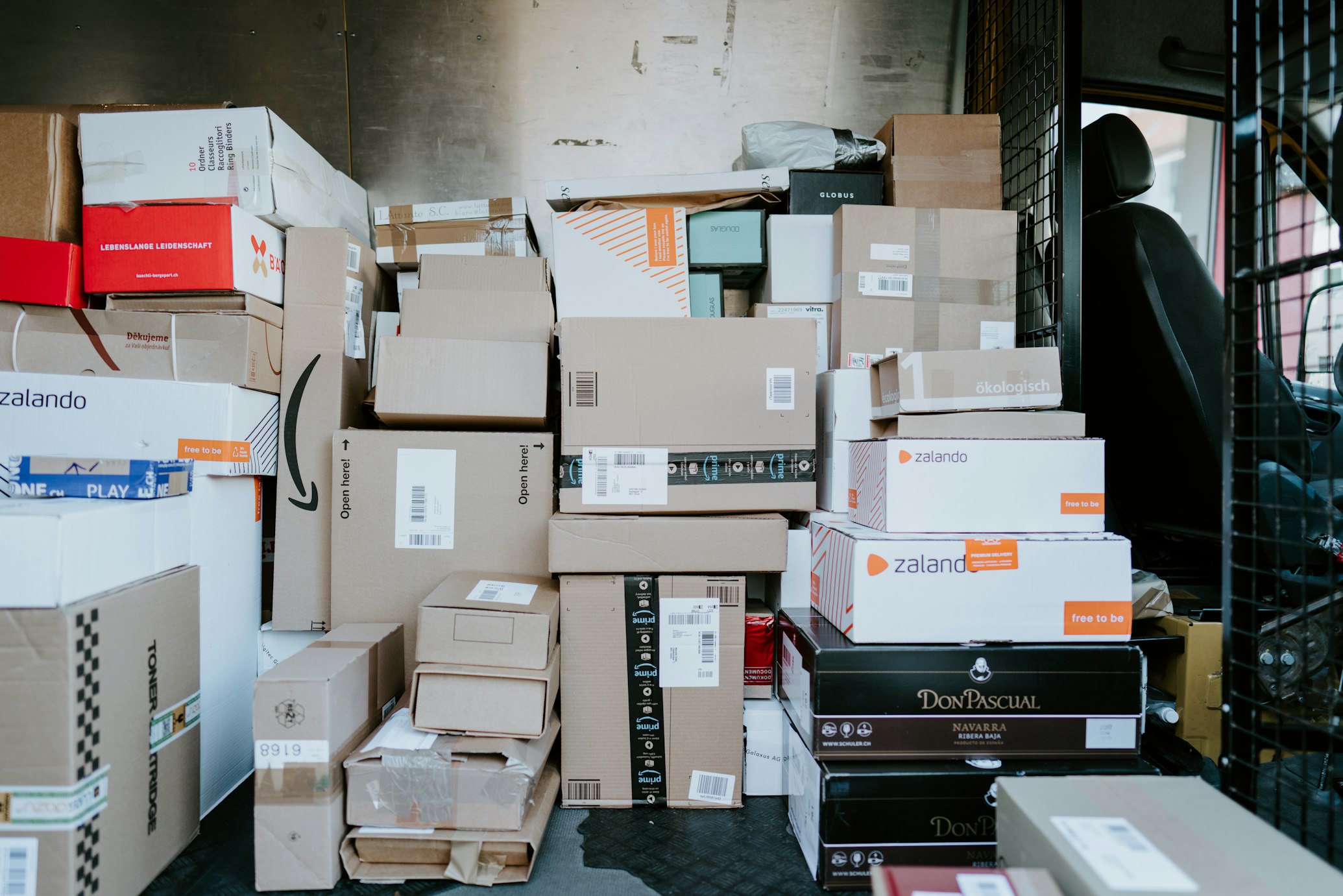
100% Delivery Success
Across 500+ pin codes in India
Custom WFH kits with your company branding
A WFH kit is one of the strongest branding opportunities you have with remote staff, precisely because so little of your brand reaches them otherwise.
You can brand the apparel, the notebook, the bottle, the sleeve, and even the box itself. We handle the logos, the brand colours, and the personal touches like the new hire's name. Everything is approved by you before production.
The most effective custom WFH kits don't just stamp a logo on everything. They feel designed, the colours match, and the unboxing feels considered. We help you get that tone right, so the kit reflects who you actually are.
WFH Kit Mistakes to Avoid
A few quick warnings drawn from what we've seen go wrong.
Sending the kit too late (after the first week).
Ignoring ergonomics (skipping the stand, keyboard, and mouse).
Forgetting the human layer (no personal note or snacks).
Treating remote hires as an afterthought compared to in-office joiners.
Over-branding cheap items instead of fewer, better items.
Frequently Asked Questions
Make every remote hire feel like they belong, from day one.
Let's bring your welcome to their door. Send us your headcount and start dates, and we'll design, brand, and deliver WFH kits that make remote hires feel like part of the team.
Talk to Trebound about WFH kits